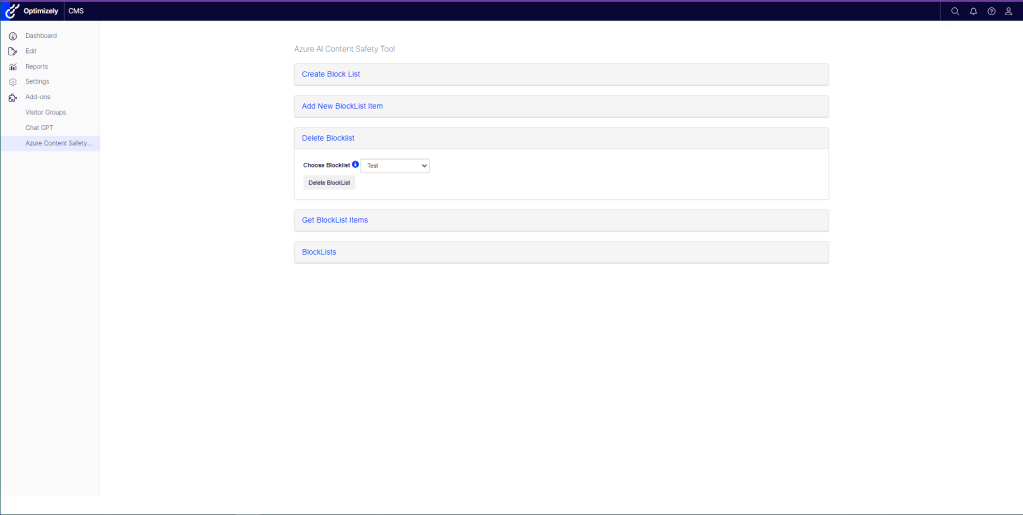
In this article, I demonstrate how the blocklist management feature, offered by the Azure AI Content Safety service, can be used to delete a blocklist within Optimizely CMS.
Deleting blocklists items can be achieved using a custom Add-On included in the NuGet Package “Patel.AzureAIContentSafety.Optimizely”. This Add-On can be obtained from the Optimizely NuGet Feed or at the NuGet Feed. The screenshot above shows this section within the Custom Add-On.
Blocklists can also be deleted by using the Azure Content Safety Studio. However, it is necessary to create an AI Content Safety resource as a prerequisite before applying this method.
Additionally, the below screenshot shows the code used to delete a blocklist using the Azure AI Content Safety API.
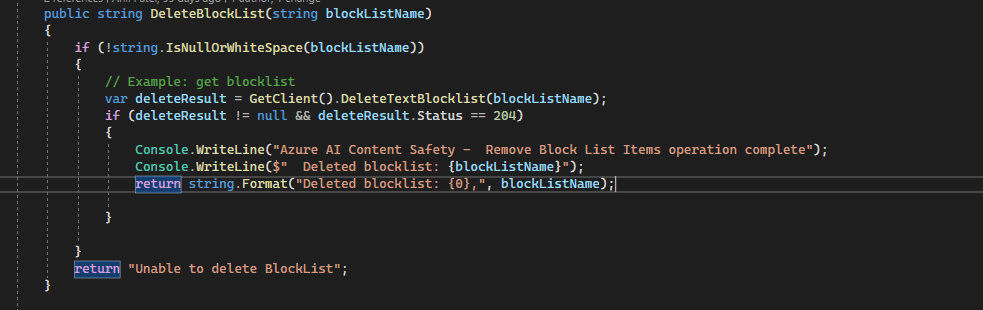
The chosen blocklist from the dropdown is “Test”. When this option is selected and the button is clicked, the API will be used to delete the blocklist.
Response from the API via the Console
Azure AI Content Safety – Remove Block List Items operation complete
Deleted blocklist: Test
After the removal of the blocklist is finalised, it will be presented in a summary section within the Add-On. A screenshot of this is provided below.


 Anil Patel's Blog